thin.ly Blog
URL Shortener Security: Threats, Defenses, and What Users Don't See
Every short link is a request to trust a destination you can't see. URL shorteners earn that trust with threat detection, sandboxing, and policy. Here's the threat model, the categories of attack, and what a serious shortener does about each one.

Short links are a high-trust medium. Users click them without seeing the destination. That’s the whole point — you trade a long, ugly URL for one that fits in a tweet, on a poster, in an SMS. But the trade-off only works if the user can trust the shortener to not be sending them somewhere malicious.
The history of URL shorteners is the history of failed trust. Cheap shorteners get used by spammers, phishers and malware distributors the moment they get enough traction. Eventually mail providers, browsers and ad networks start treating short-link domains as suspect. The shortener gets blocked at the network edge, legitimate users stop being able to deliver email through it, and the service dies.
This article goes through the threat model from a defender’s perspective: what an attacker tries to do with a URL shortener, what serious shorteners (including ours) do to stop them, and what users should look for when deciding whether to trust a short link.
The threat model
There are four broad categories of malicious use:
- Malware delivery. The short link points at a drive-by download, an exploit page targeting an unpatched browser, or a software bundle that asks the user to install it.
- Phishing. The short link points at a fake login page, typically mimicking a major service (Microsoft 365, Google, a bank, a crypto exchange) to harvest credentials.
- Scam content. Fake giveaways, fraudulent investment schemes, pages that demand payment for things the user is not actually receiving.
- Policy-violating content that is legal but prohibited by the shortener’s terms — typically adult content, gambling that violates local law, or content that mass-violates someone else’s intellectual property.
Each of these has a different defense profile.

Pre-creation scanning
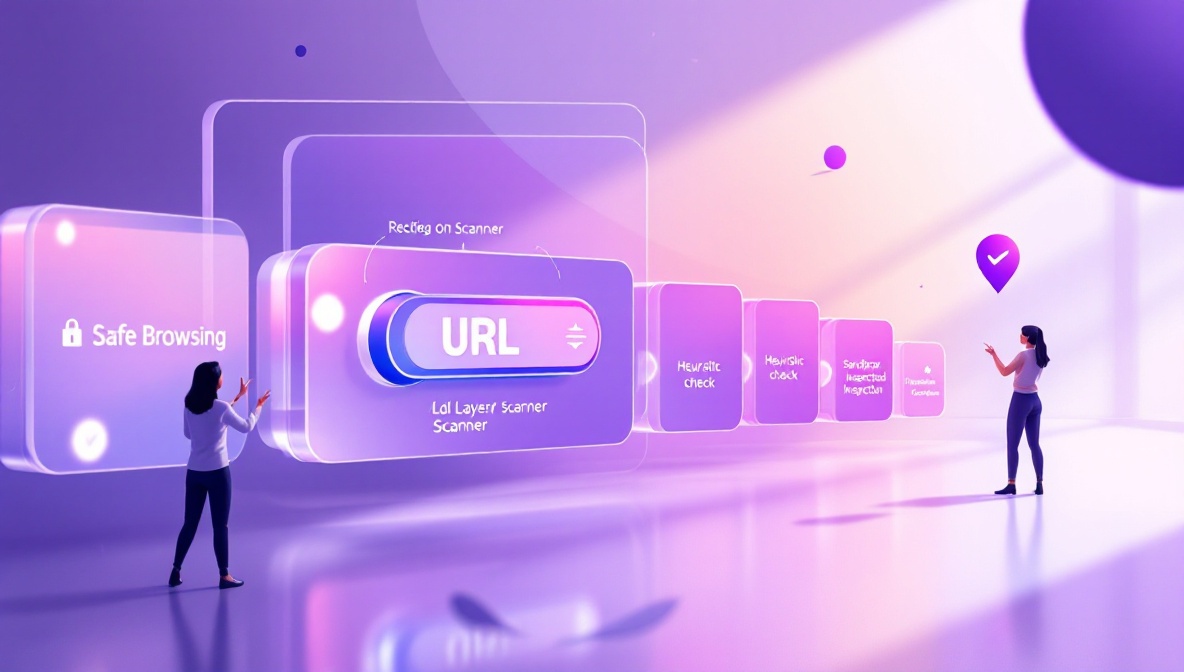
The first defense is at the moment of link creation. When a user submits a destination URL, the shortener can check it against several sources before issuing a short link:
- Google Safe Browsing. Google publishes a list of URLs known to host malware or phishing content. The list is updated frequently and used by Chrome, Firefox and most browser-integrated protections. Querying it at link-creation time catches the largest, most-reported threats.
- Known-bad domain lists. Independent threat feeds maintain lists of domains used for spam, phishing kits, exploit kits, and command-and-control infrastructure. The list overlap with Safe Browsing is partial — each catches a different long tail.
- Heuristic checks. Newly-registered domains (under 30 days old),
domains with characters chosen to mimic well-known brands
(
g00gle.com,microsft.com), URLs with hex-encoded parameters designed to evade pattern matching — these are flagged for review even when they’re not yet on any threat list.
Links that fail pre-creation scanning are either rejected outright or quarantined for human review. At thin.ly, links we can’t scan with high confidence in under a few seconds are issued but flagged for re-scan, and the destination is blocked behind a safety interstitial until the scan completes.
Post-creation rescanning
Pre-creation scanning catches the obvious cases. The more interesting problem is delayed weaponization: an attacker shortens a benign URL, waits a few weeks for the link to accumulate trust and distribution, and then quietly changes the destination’s content to something malicious. The short link is unchanged. The destination is not.
The defense is periodic rescanning. Every short link’s destination is re-checked on a schedule — more frequently for high-traffic links — and any destination that has flipped from benign to malicious triggers an automatic block. At that point, anyone clicking the short link sees a safety interstitial instead of the malicious page.
This is also why we recommend treating a short-link service as a trust boundary in your own infrastructure. If you embed user-supplied URLs in your product, route them through a shortener with rescanning. The benefit is that the shortener absorbs the cost of keeping up with new threat feeds and you get free rescanning as a side effect.
Sandboxed inspection
For destinations that aren’t yet on any threat list, dynamic analysis sometimes catches things static checks miss. A sandboxed browser fetches the destination, executes scripts, watches for redirects to known-bad domains, watches for credential-collection forms, fingerprints the page against known phishing-kit templates. Sandboxing is expensive — milliseconds become seconds — so most shorteners apply it selectively: flagged-on-creation links, high-risk categories, or as a background job after the link is issued.
The role of interstitials
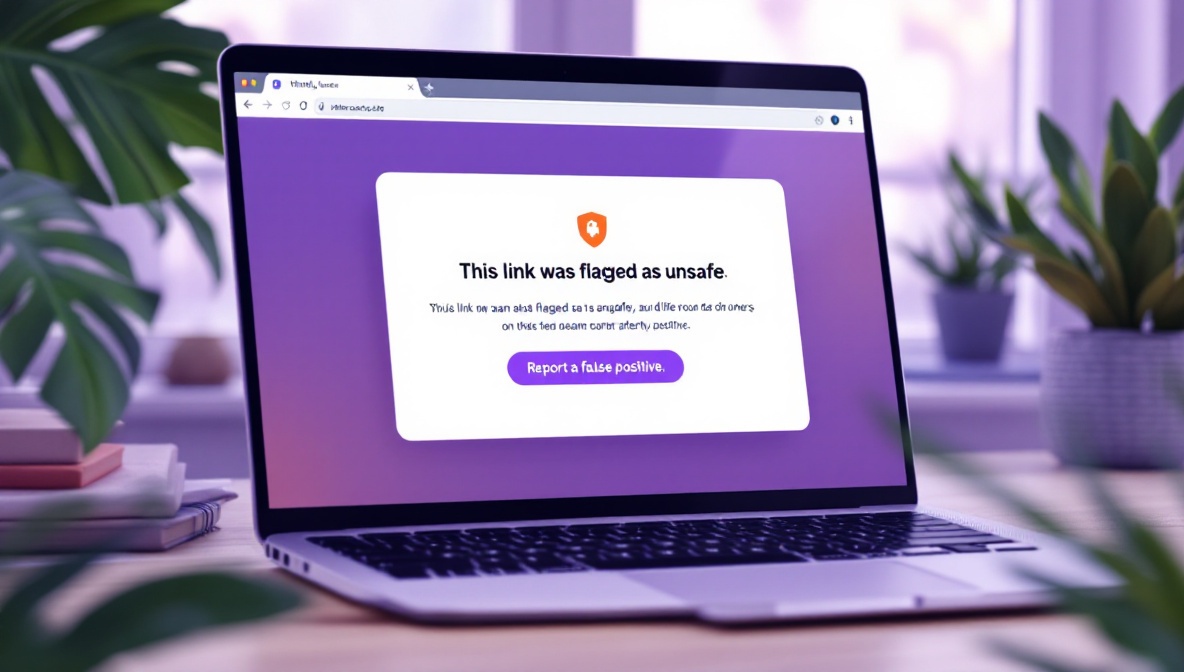
When a destination has been blocked, what happens at click time?
Two options. The bad one: hard 404. The user gets no explanation, and they have no idea whether the link was broken, the destination was removed, or something dangerous was happening. Worse, the link is silently broken for the legitimate users who haven’t been compromised.
The good option: a safety interstitial. The user clicks the short link, the server detects that the destination is blocked, and instead of redirecting it renders a clear page explaining that the destination was flagged as unsafe and giving the user a way to report a false positive. The user understands what happened, the link creator gets a signal that something is wrong, and the malicious destination never loads in the user’s browser.
thin.ly uses interstitials for both flagged destinations and for paused/expired campaigns where there is no longer a valid destination. The interstitial does not load any third-party content.
What users can do
A few practical habits for evaluating short links you didn’t create yourself:
- Preview before clicking. Most shorteners offer a preview URL
pattern. For thin.ly,
https://thin.ly/preview/<slug>shows the destination without redirecting. Many browser extensions add this capability for all shorteners. - Trust the wrapper, not the slug. A real
thin.lylink will always be onthin.ly. A link that saysthin1y.comorthinly.cois not us — homograph attacks rely on users pattern-matching on shape rather than reading the domain. - Distrust short links from unknown senders. The same rule that applies to executables applies here: if you don’t know why this message arrived, don’t follow the link, no matter how short or branded it looks.
What link creators can do
If you operate a short-link campaign:
- Use HTTPS destinations. Mixed-content warnings will lose you trust even on legitimate campaigns.
- Use a short, memorable slug rather than the auto-generated one
whenever you can.
thin.ly/spring-menureads as legitimate;thin.ly/aB3xY9qreads as suspicious to careful users. - Use a branded domain if you can. A custom short domain
(
acme.link/spring) carries the brand into the link and prevents it from being mistaken for someone else’s service. - Watch the click report. A campaign whose clicks are 90% from one country you didn’t target, or are arriving in suspiciously uniform bursts, may have been picked up by a scraper or injected into a botnet’s URL list. That’s a signal to rotate the short link.
The economics of staying clean
Defending a shortener against abuse is continuous work, not a one-time check. The asymmetry is brutal: an attacker has to find one gap, the defender has to close all of them. The reason cheap shorteners get blocked at network boundaries is that they don’t invest in this work, and the bad actors find them quickly.
If you’re picking a shortener for a campaign, ask the vendor what their post-creation rescanning policy is, what their abuse-reporting flow looks like, and how they handle false positives. The answers tell you whether they’re treating safety as a feature or as a cost center.