thin.ly Blog
Using UTM Parameters with Shortened Links: A Practical Guide
UTM parameters and short links solve different problems. Used together they give you per-campaign attribution that survives copy-paste, redirects, and stripped referrers. Here's how to combine them without breaking your analytics.

UTM parameters and short links are two of the oldest tools in the digital
marketer’s kit, and most teams use them badly together. The usual symptom is a
Google Analytics report that lumps every paid campaign into a single
utm_source=newsletter bucket because someone reused the same UTM string
across six different sends, or the opposite — twenty subtly different
utm_campaign values for what should have been one campaign. Both problems
have the same root cause: nobody on the team owns the link-generation step.
This article walks through the model we recommend for combining UTM tagging with a short-link service, with the specific failure modes we see in support tickets and how to design around them.
What each tool actually does
A short link is a redirect. A user clicks thin.ly/launch-q3, the server
looks up launch-q3 in a database, finds the destination, and issues an HTTP
302 to that URL. The destination URL can contain anything — including UTM
parameters.
UTM parameters are query-string key/value pairs (utm_source,
utm_medium, utm_campaign, utm_content, utm_term) that Google
Analytics and most other analytics tools recognize as campaign metadata.
They’re read at the destination, on the landing page itself, after the
redirect has already happened.
This means UTM parameters live on the destination URL, not on the short link. The short link is the wrapper; the UTMs ride inside it.

The basic pattern
If your campaign destination is:
https://acme.com/pricing
and you want it tagged for a paid social campaign, the destination URL you shorten is:
https://acme.com/pricing?utm_source=linkedin&utm_medium=cpc&utm_campaign=q3-launch&utm_content=carousel-a
Then you shorten that — full string with UTMs — into something like
thin.ly/q3-launch-li. The user clicks the short link, the server redirects
to the long URL with UTMs intact, the destination page records the visit
under the correct campaign in your analytics.
The mistake we see most often is shortening the bare URL and then trying to
“add UTMs in the short link” by appending them after the slug, like
thin.ly/q3-launch?utm_source=linkedin. Most shorteners (including
thin.ly) strip those because they’re meaningless to the lookup engine —
the slug is q3-launch, the query string is noise. The redirect goes to the
bare destination and your analytics records “direct traffic.”
Picking values that aggregate cleanly
Google Analytics doesn’t normalize UTM values. Linkedin, linkedin,
LinkedIn, and LINKEDIN are four different sources in your reports.
Adopt a small convention and write it down:
utm_source— always lowercase, no spaces (linkedin,newsletter,partner-acme).utm_medium— pick from a short, fixed vocabulary:cpc,email,social,affiliate,referral,print. If a new value feels needed, add it to the vocabulary first; don’t invent it in a campaign.utm_campaign— date or version prefix is your friend (2026-q3-launch,winter-promo-v2). It groups campaign reports chronologically and survives reuse later.utm_content— variant identifier (headline-a,carousel-bg-purple). This is where A/B variants live.utm_term— paid-search keyword. Leave it empty for non-search traffic.
If you’re using thin.ly, the link’s title field is a good place to write the human-readable name of the campaign while the destination URL holds the machine-readable UTM string.

Where short links genuinely help
The reason to shorten a UTM-tagged URL at all comes down to four things:
- Length. A fully tagged destination URL is often 200+ characters. It won’t fit on a printed flyer, in an SMS, or comfortably in a tweet.
- Stability. If a campaign destination needs to change — pricing page gets a new path, the landing page moves — you can swap the short link’s destination without re-printing materials or asking partners to update their copy.
- Click analytics independent of the destination. UTMs only fire if the user reaches the landing page and the analytics script loads. The short link records the click the moment the redirect happens, before any page-load or ad-blocker can interfere.
- Per-link governance. A short link lets you pause a campaign by pointing the link at a “campaign ended” page, or expire it on a schedule, without touching the underlying site.
Failure modes to design around
A few problems we see repeatedly:
Email clients stripping query strings. Some corporate mail security
products rewrite URLs in inbound mail, and a few of them strip query
parameters they don’t recognize. UTMs vanish. The fix is to put the UTMs
inside the short link’s destination so the user clicks thin.ly/launch-q3
and the redirect — fired from your server, not the mail rewriter — carries
the UTMs through. Add an HTTP-level test by sending one mail and clicking
through to confirm.
Social platforms appending their own parameters. LinkedIn and Facebook
sometimes append a ?trk=… or fbclid=… to outbound links. Most analytics
tools handle these without issue, but if you build a report by URL the
appended noise will split your rows. Either filter fbclid/gclid/trk
in your analytics view, or strip them in your destination router.
The “two-shortener” problem. Marketing shortens a tagged URL, then a partner re-shortens that with a different service for their newsletter. You now have two redirects in series, and the analytics on the first hop record one click while the second hop’s analytics record a different one. Pick a single source of truth before launching a campaign, and tell partners to use that link as-is.
Reusing campaign values. Every report becomes harder to interpret when
utm_campaign=launch appears in three different quarters. Treat the
campaign string as a version number. Future-you will thank you when
year-over-year comparisons stop requiring a SQL pivot.
A practical workflow
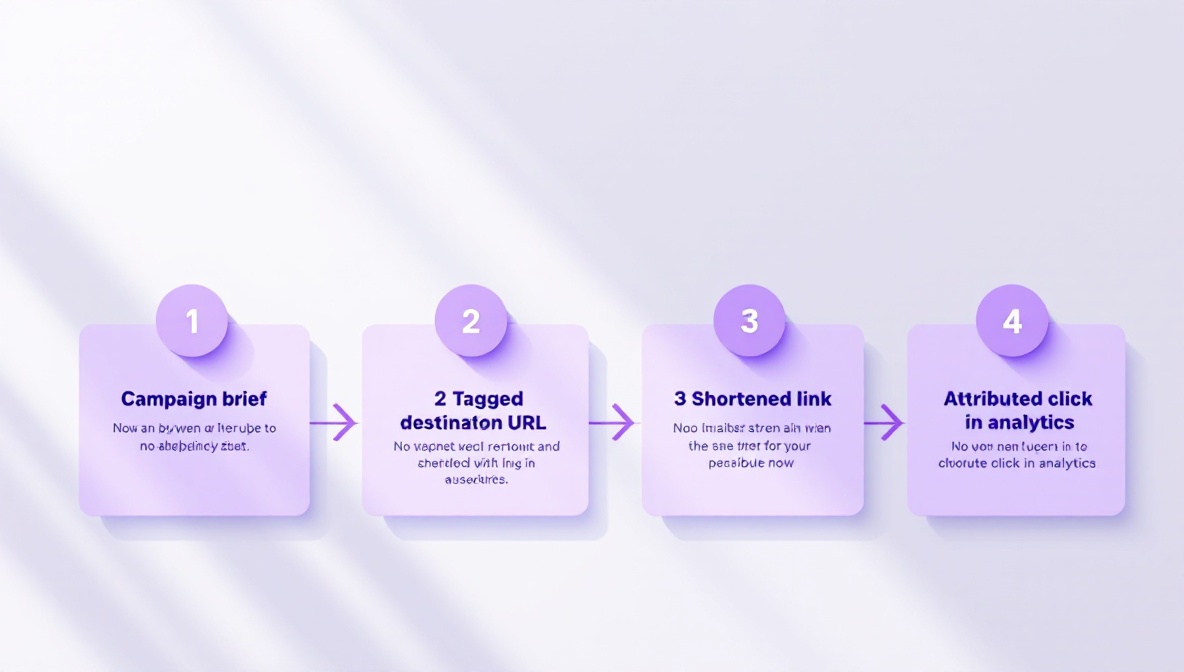
- Decide on a campaign name and write it in your link-management tool’s title field.
- Build the destination URL with full UTM parameters using your vocabulary.
- Shorten the full URL (with UTMs). Give the short link a memorable slug.
- Test the click path: short link → expected destination, UTMs intact, the visit appears in your analytics under the right campaign.
- Distribute the short link, not the long one. Never distribute both — if anyone has the long URL, half your clicks will arrive untagged.
Done well, the combination gives you a clean campaign roll-up, a stable short link you can swap if anything changes, and click counts that don’t depend on the destination’s analytics being healthy. That last property is what makes the pairing worth the setup time.